A team that does the work, and asks before it matters.
Algorithmy gives your business a small staff of AI employees. They research, write, follow up and browse the web. They remember how you work. Anything that sends, posts or pays waits for your OK.
Free on your computer. Uses your own Claude Pro or Max plan.
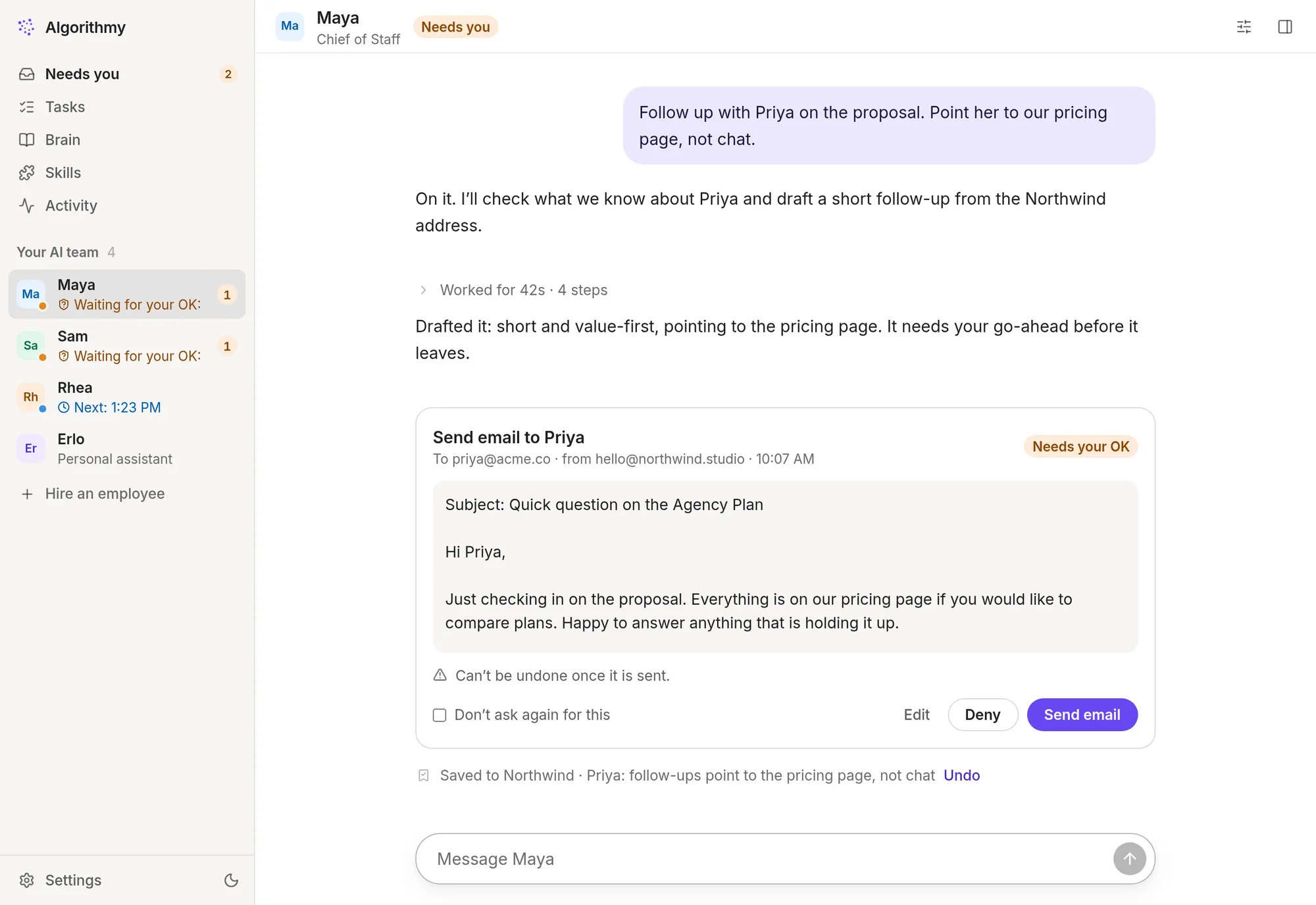
Less managing, more deciding.
You hire roles, not prompts. Each employee has a job description, rules you set, and their own memory of your clients and decisions. Here is an ordinary Tuesday.
Maya, your Chief of Staff, sends the morning briefing: three replies to make, one invoice overdue, a call at two.
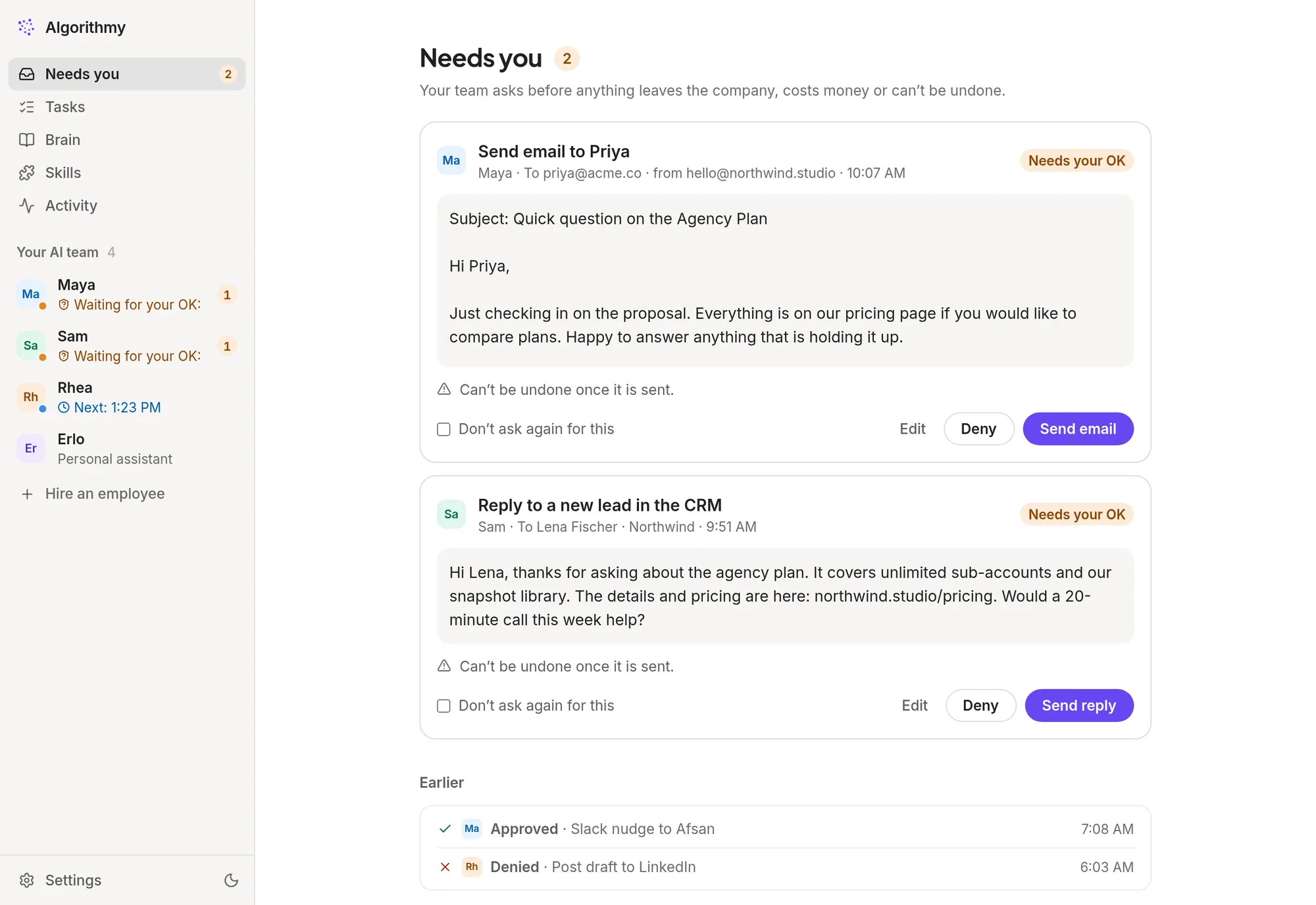
Sam answers a new lead with the right plan and a link to pricing.Waits for your OK
You approve it from your phone, between meetings. Maya’s follow-up to a client goes out too.
A site needs your login. You take over the team’s browser for a moment, sign in, and hand it back.
Rhea finishes the competitor scan she runs every week, with sources, and files it.
Everything decided today is in the Brain, so tomorrow nobody asks you twice.
It remembers so you don’t repeat yourself.
Clients, decisions, prices, how you like things done. Your employees save what matters as they work and look it up before they act. Every note is plain text you can change or delete.
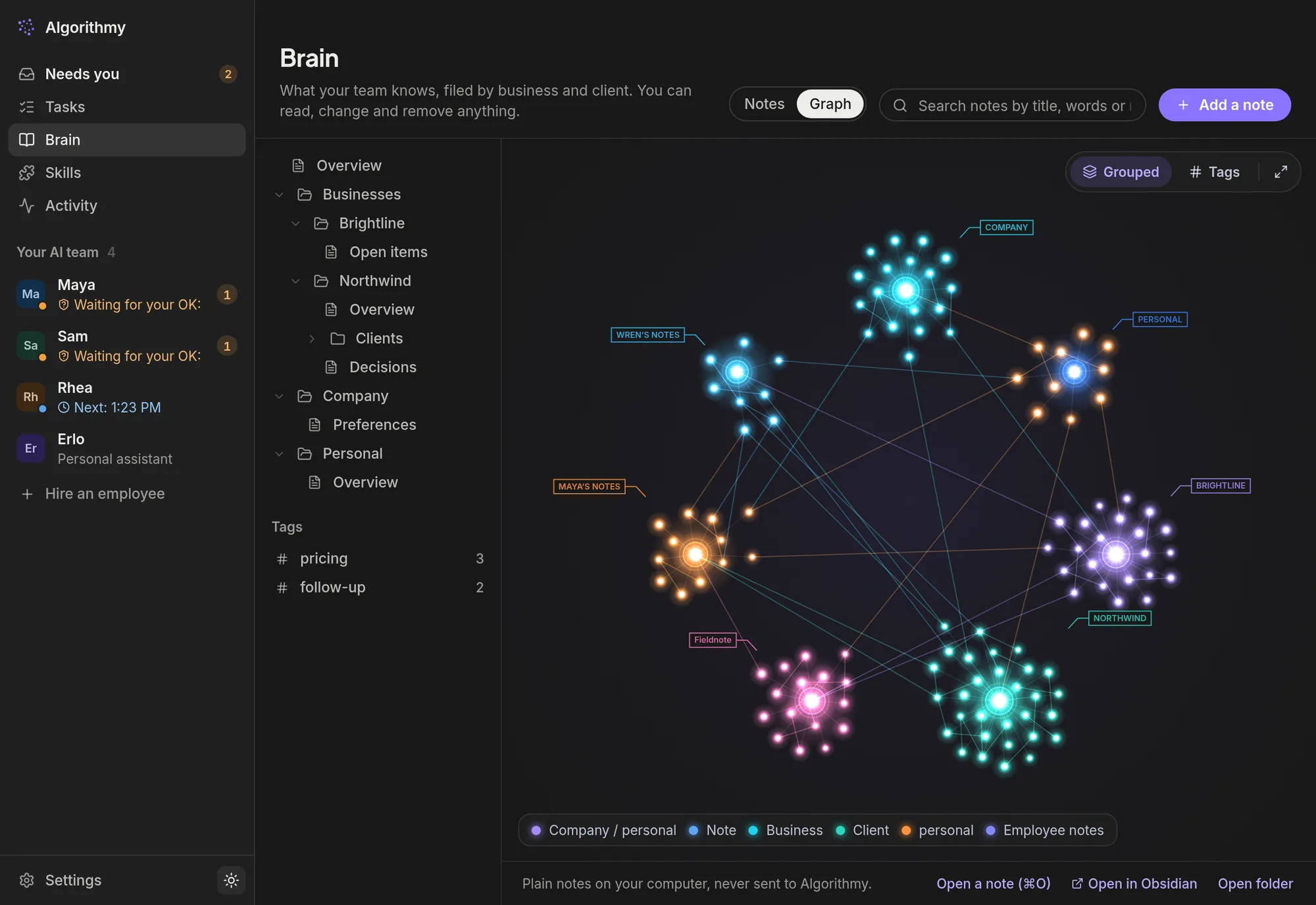
Filed as they go
“Priya prefers a call before a proposal” is saved under Priya, the moment it comes up.
Shared by the team
Sam knows what Maya promised. Employees can ask each other, too.
Yours to keep
Plain notes in a folder. Export them, or open them in Obsidian.
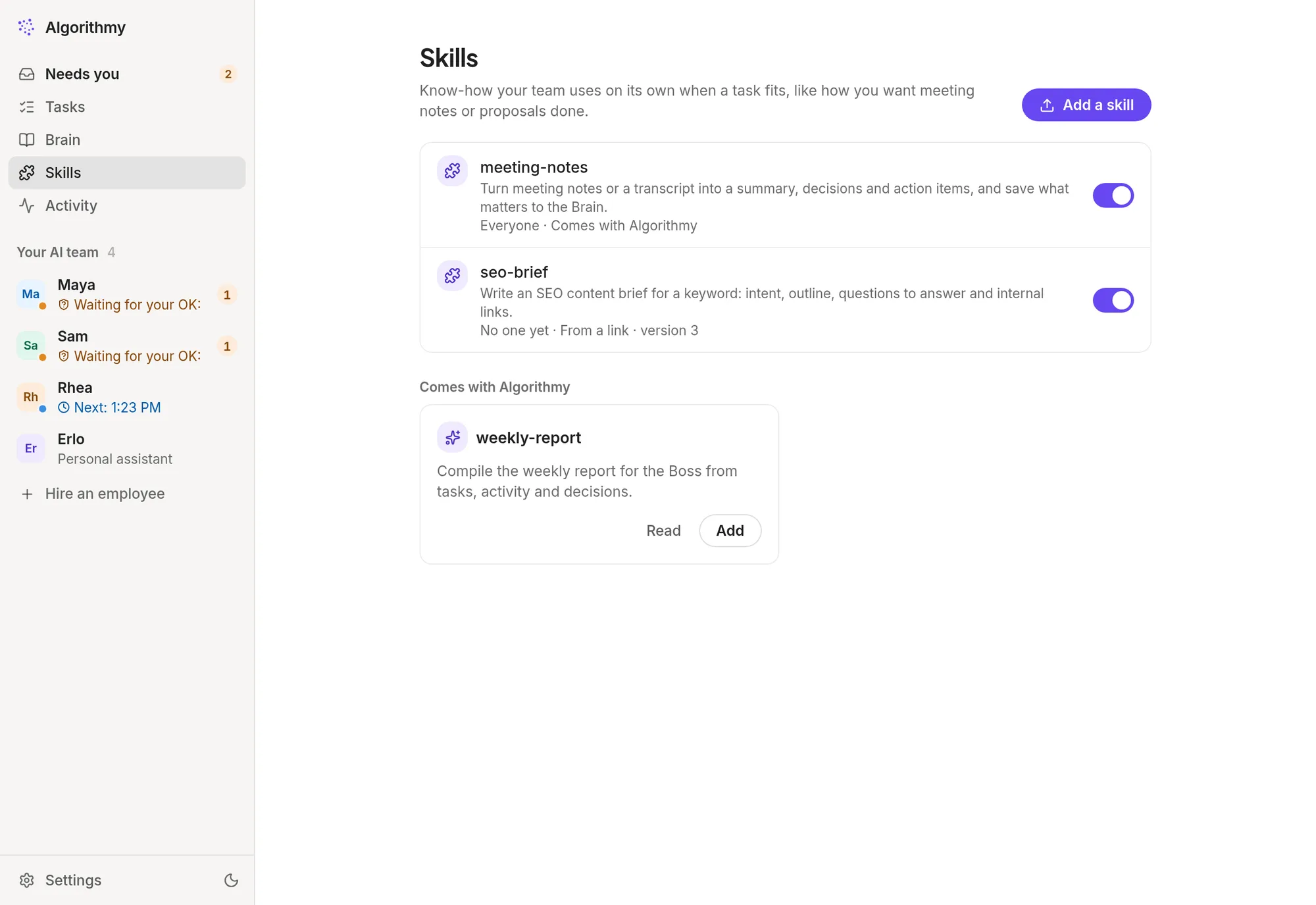
Teach it once, the way you do it.
Skills are short instructions your team follows whenever a task fits: how you write meeting notes, proposals, a weekly report. Six come with Algorithmy; add your own or install them from a link.
- Give a skill to everyone, or to one employee
- Earlier versions are kept, so you can go back
- Uses the open skill format, so existing skills just work
You stay the one who says yes.
Your employees ask before anything leaves the company, costs money or can’t be undone. You see exactly what will happen, edit it if you like, and approve on your computer or your phone.
- Set each site to read-only, ask first, or trusted
- Take over the team’s browser to sign in yourself; passwords never reach the chat
- Every action is in the activity log
Your computer, or your own server.
You choose when you first open the app, and you can switch later. Either way the team and the Brain are yours alone.
| On your computerFree | In the cloudPro | |
|---|---|---|
| Works | While your computer is on | Around the clock, even with your laptop closed |
| Your data | Stays on your computer | On a private server made for you alone |
| Phone app | No | Yes: chat, approvals and notifications |
| Account | None needed | Your Algorithmy email and password |
| Setup | Install and go | Sign in. We set up the server for you, usually in under a minute |
Start free. Move to the cloud when it helps.
Both plans run on your own Claude subscription, so the AI itself is covered by what you already pay Anthropic.
Get Algorithmy.
Install it, open it, choose where your team works. During early access the computer app is for Linux; macOS and Windows are on the way.
Claude Pro or Max. You sign in to it once, in the app.
Ubuntu 22.04 or newer, Debian 12, or similar, 64-bit, with 8 GB of memory or more, and Google Chrome for your team’s browser.
Android 8 or newer, and a cloud team (Pro). iPhone comes later.
Asked often.
Do you see my data?
On your computer, no: your team, its chats and the Brain stay on your machine. In the cloud, they live on a private server made for you alone; your Algorithmy account is only used to sign you in and to find that server.
Which AI does it use, and what does that cost?
Your employees run on Claude, through the Claude Pro or Max subscription you already have. Algorithmy does not charge per message. Heavy days can use up your plan’s limits sooner; the app shows how much you have used.
What if an employee gets something wrong?
Anything that sends, posts, pays or can’t be undone waits for your approval, and you can edit it first. You can set rules per employee, and per website, and every action is in the activity log.
Why Linux only?
We are in early access and started where we build. macOS and Windows versions are being prepared. Write to us and we’ll tell you when they’re ready.
How do I get Pro?
During early access, cloud teams are by invitation, and no payment is taken. Ask us for an invite code; you enter it in the app when you choose “In the cloud”.
Can I move from my computer to the cloud later?
Yes. Open Settings, then “Where your team runs”. Your team on your computer stays where it is, so you can go back.